Daily work
Customers & dues
The customer list and new customers, the dues list and how old each due is, collecting dues, the customer ledger, notes, SMS drafts and printing the statement
Who it is for:OwnerManagerDelivery man
On this page
In the LPG trade hotels, restaurants, madrasas and familiar households often buy on credit. GasDesk puts every credit sale on the customer's ledger and takes it off when it is paid. The Dues page tells you who owes how much, and for how long.
Customer list
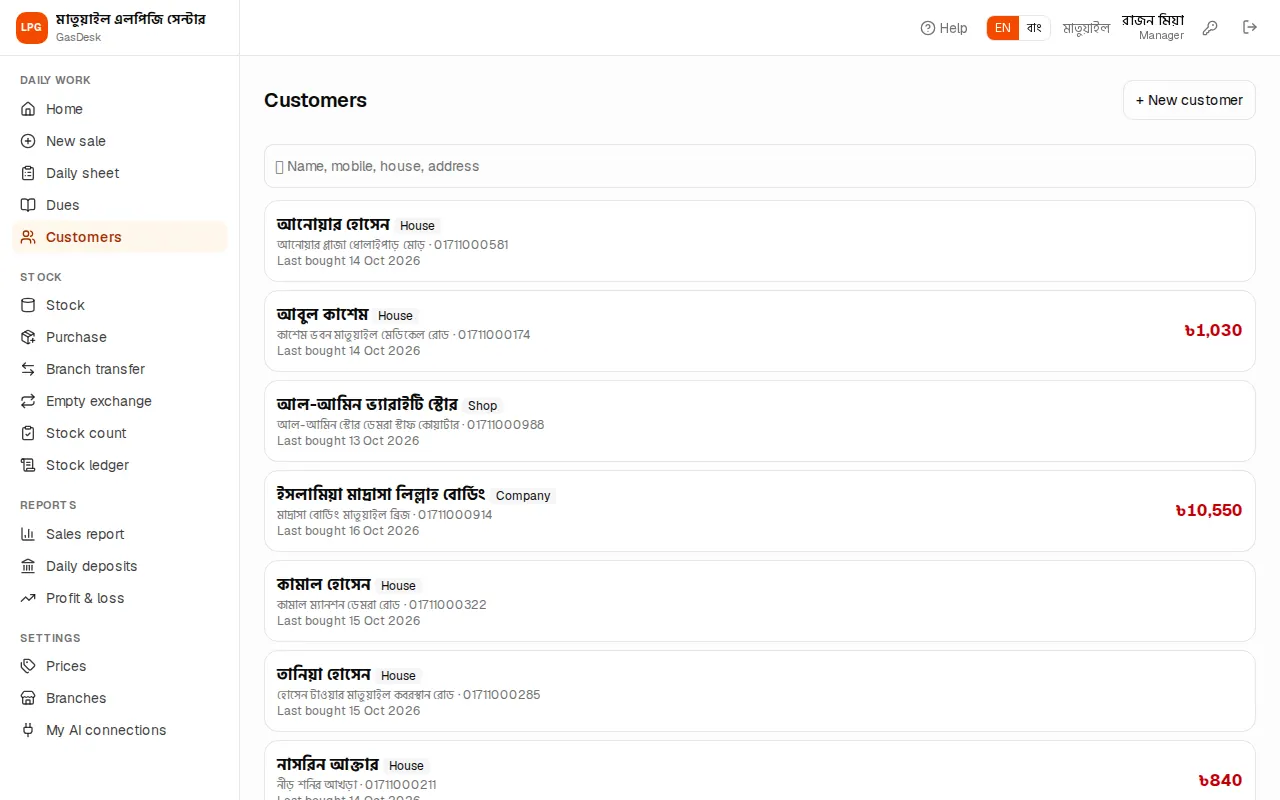
The Customers page lists every buyer with their type (House / Shop / Company), when they last bought and their current due. Search by name, mobile, house or address at the top.
New customers are usually created during a sale — typing a name or mobile on the sale is enough. To add one in advance press + New customer, enter mobile, name, house / shop name, address and type, and press Save.
The dues list
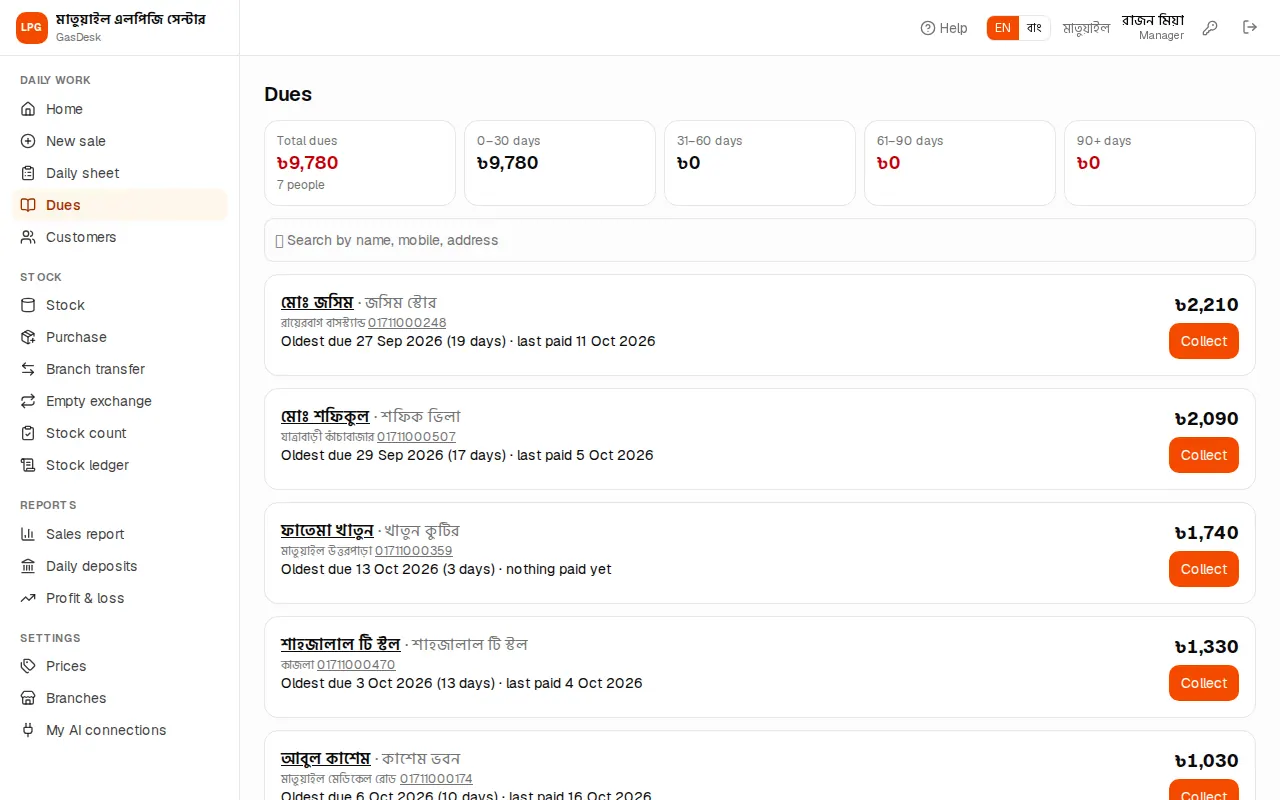
At the top of Dues:
- Total dues and how many people owe.
- How old: 0–30 days, 31–60 days, 61–90 days, 90+ days. Chase the red boxes (over 60 days) first.
Below is a line per customer: name (tap for the ledger), house, address, phone (tap to call), "Oldest due (date) (… days)" and "last paid (date)" or "nothing paid yet". On the right is the amount — red when older than 60 days.
The age counts payments against the oldest dues first: when someone pays, the oldest due is cleared first, so the "oldest due" date is the date of the oldest due that is still unpaid.
Every due belongs to the branch that sold on credit, wherever it is later collected. Managers and delivery men see their own branch's dues; the owner sees the branch picked at the top.
Collecting a due
There are two places to enter a recovery:
From the Dues page (quick):
- Press Collect on the customer's line. The full due is filled in.
- If you got less, change the amount, and add a Note if useful (e.g. "paid by bKash").
- Press ✔ Take payment. A green line says "… — ৳… collected".
From the customer ledger: type the Amount collected and a Note at the top of the ledger and press ✔ Collect due.
The recovery goes into "Dues recovered" on the collector's sheet for today and raises the deposit. You can't take more than the due — it says "Only ৳… is due". Delete a wrong recovery from that day's Daily sheet (before closing).
Customer ledger
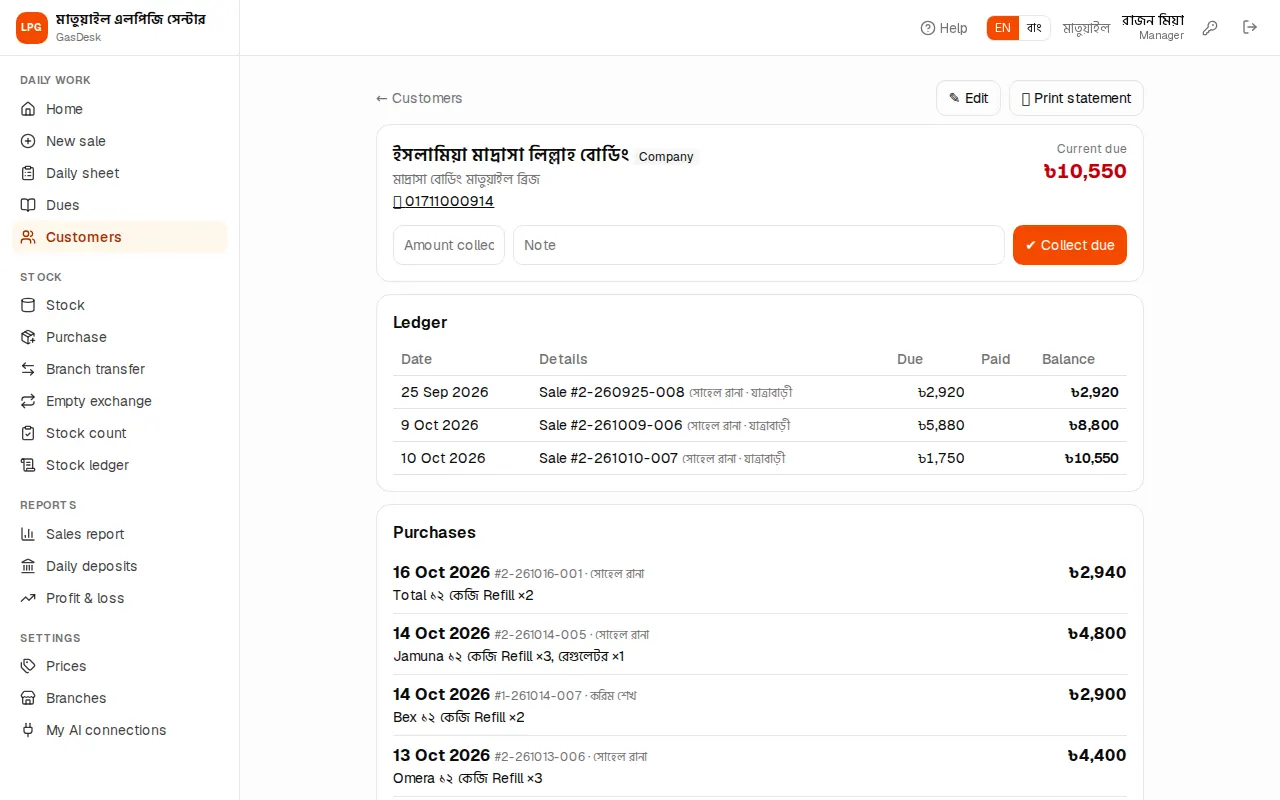
Tap a customer's name to open their ledger:
- At the top: name, type, house, address, phone and, on the right, the Current due.
- Ledger: every credit sale (with invoice number) and every recovery, who entered it, which branch, and the running Balance.
- Purchases: the customer's recent purchases — date, invoice, seller, cylinders, total and due.
To change details press ✎ Edit: change mobile, name, house, address, type and Notes, then Save. Notes can hold anything — e.g. "said he will pay on Friday" or "5th floor, no lift". They show in a grey box at the top of the ledger.
SMS drafts
If the owner has connected an AI assistant (such as Claude or ChatGPT, see AI assistants), the assistant can save due-reminder SMS messages as drafts. When there are drafts, a yellow box SMS drafts (not sent) appears at the top of the customer's ledger.
GasDesk never sends SMS itself. Under each draft:
- Send from phone: opens your phone's messages app with the number and text filled in — check it and send it yourself.
- Mark as sent: press it after sending; the draft leaves the list.
- Discard: throw away a draft you don't need.
Printing the statement
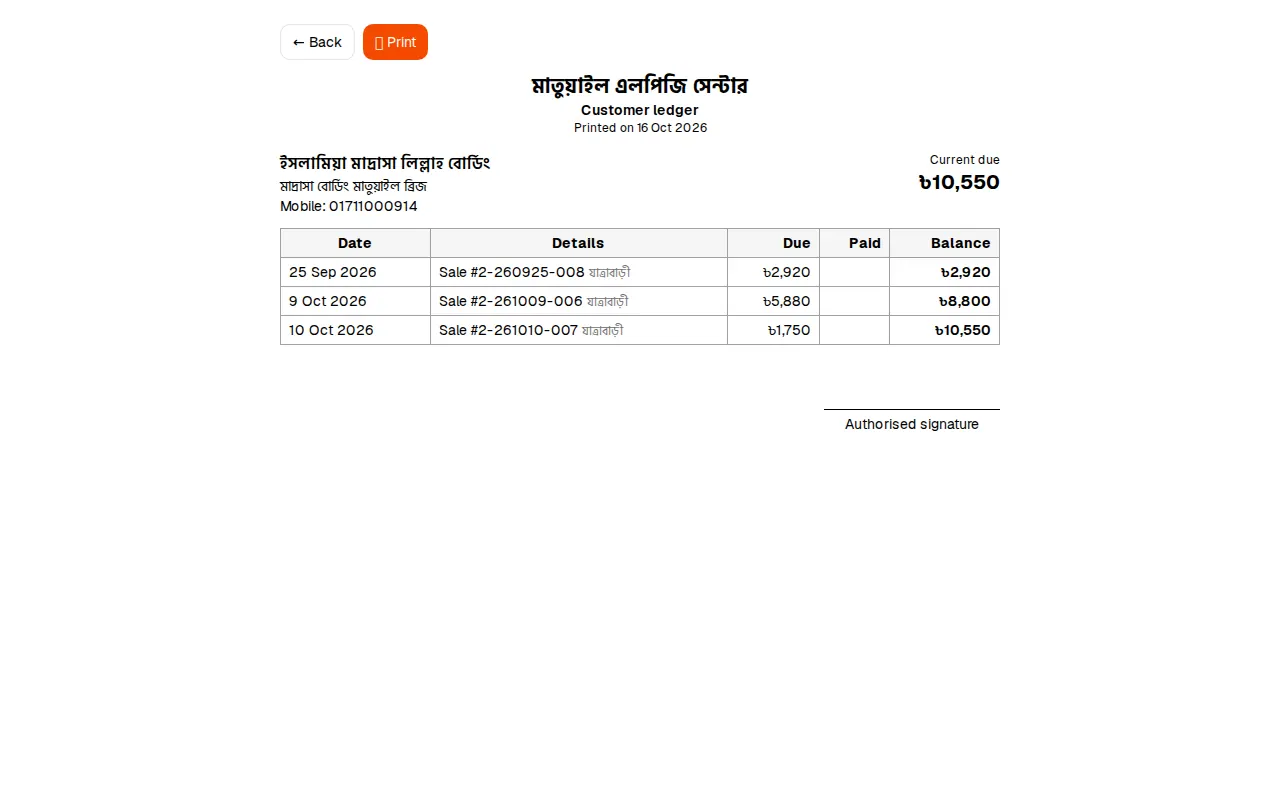
🖨️ Print statement at the top of the ledger opens the customer's full dues-and-recoveries statement with your company name and address, running balance and a signature line. Press Print for paper, or save it as a PDF and send it on WhatsApp. Handy for settling monthly accounts with hotels and restaurants.
If the button is missing, the printable statement is not in your plan.