Getting started
Getting started
What GasDesk is, signing in, what is where on the screen, the home page, switching language and branch, your password, what each role can do, and opening a free trial
Who it is for:OwnerManagerDelivery man
On this page
GasDesk is accounting software for LPG cylinder dealers. Everything the shop writes on its paper "Daily Sales Report" — which buyer took which cylinder as a refill or a package, how many empties came back, floor charge, commission, credit, due recovery, expenses and the evening deposit — can be entered from a phone or a computer. Full and empty cylinder stock is counted automatically.
Throughout this guide the demo company মাতুয়াইল এলপিজি সেন্টার (Matuail LPG Centre) is used as the example: two branches (Matuail and Jatrabari), owner Haji Abdul Halim, manager Rajon Mia, delivery men Karim Sheikh and Sohel Rana.
Signing in
GasDesk runs in the browser — Chrome on a phone, Chrome or Edge on a computer. There is no app to install.
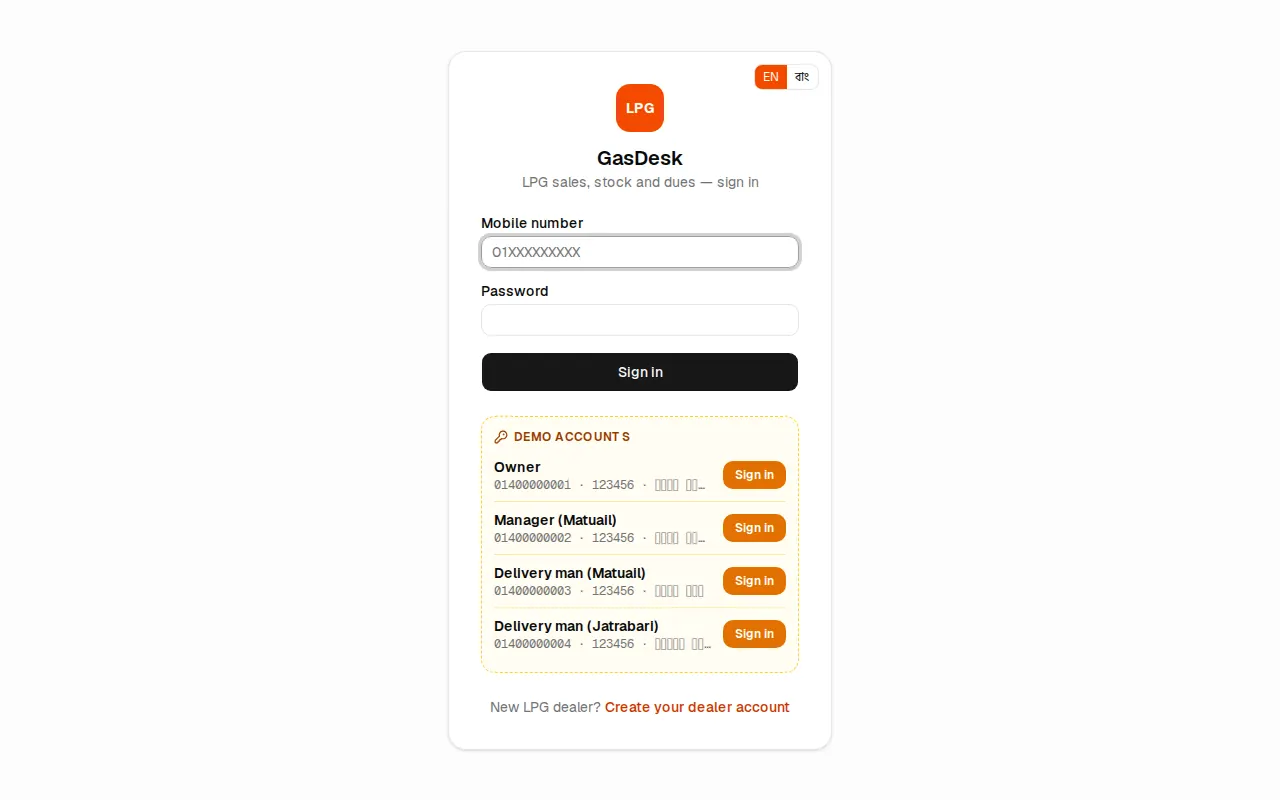
- Open your GasDesk address and go to the Sign in page.
- Type your 11-digit Mobile number, e.g.
01XXXXXXXXX. - Type your Password and press Sign in.
After signing in everyone lands on Home. The owner creates everyone's login in Settings → Staff (see Setting up your company).
The EN | বাং button at the top right of the sign-in page lets you pick the language before signing in.
What is where on the screen
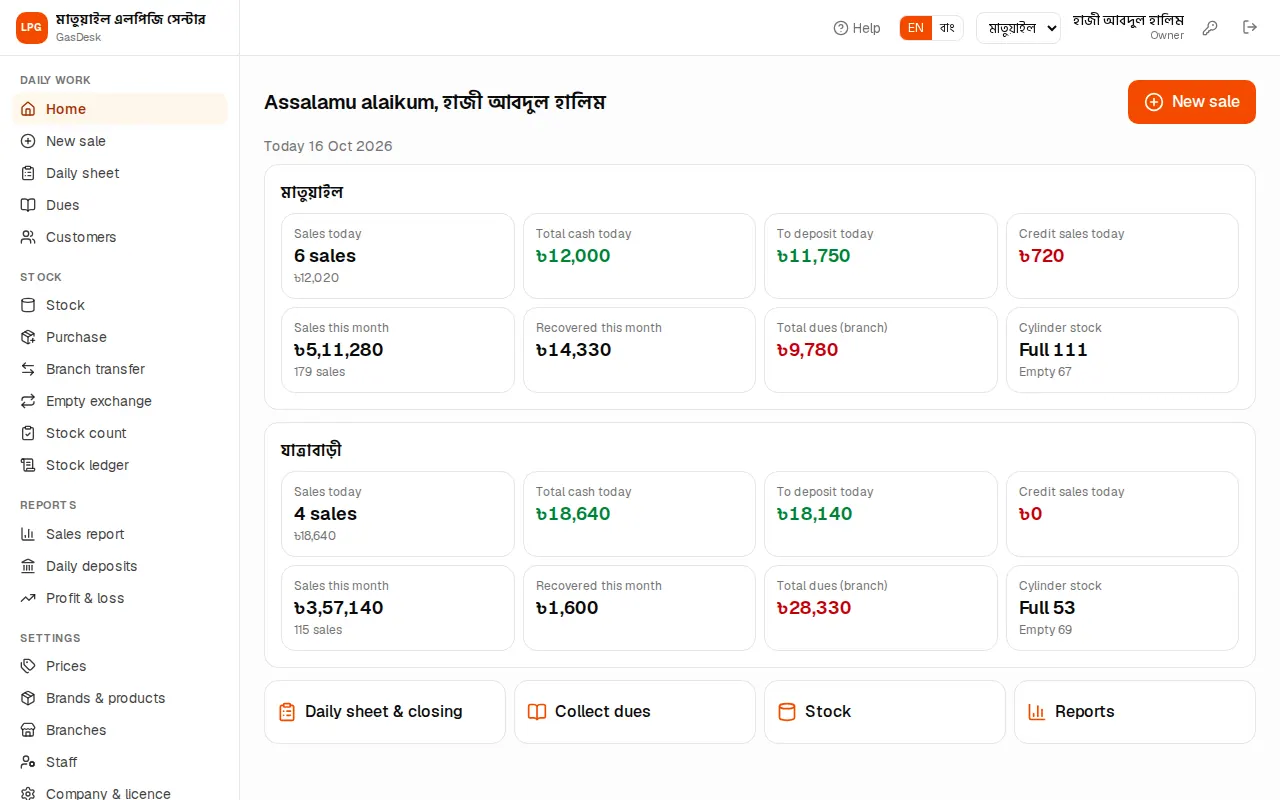
Left menu (on a computer): the company name at the top, then the menu in four groups — Daily work (Home, New sale, Daily sheet, Dues, Customers), Stock, Reports and Settings. Menus your role may not use are not shown; modules that are not in your plan are hidden too.
Top bar, left to right:
- Help (question mark): opens the guide for the page you are on, in a new tab — a half-typed sale is not lost.
- EN | বাং: language switch.
- Branch name. An owner with several branches gets a branch drop-down here.
- Your name and role (Owner / Manager / Delivery man).
- Key icon: change your own password.
- Door icon: sign out. Always press it before leaving someone else's phone or computer.
On a phone there is no left menu. Instead there are four big buttons at the bottom — Home, New sale, Daily sheet, Dues — and More opens the full menu.
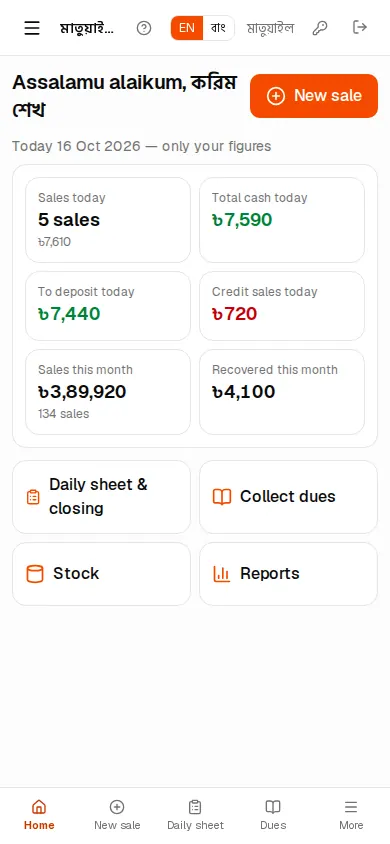
Home page
Home shows each branch's figures for today and this month side by side:
| Box | Meaning |
|---|---|
| Sales today | Today's total bills and how many sales |
| Total cash today | Cash sales + other sales + dues recovered |
| To deposit today | Total cash minus commission and expenses — what has to be handed in |
| Credit sales today | How much went on credit today |
| Sales this month / Recovered this month | From the 1st of the month to today |
| Total dues (branch) | What this branch's customers owe right now |
| Cylinder stock | Full and empty cylinders in the branch now |
The owner sees every branch, a manager their own branch. A delivery man sees only your figures — his own sales, recoveries and deposit.
When an earlier day was not closed, an orange line says e.g. "3 earlier days are not closed yet" with a See daily deposits link. What to do is in Daily sheet & day closing.
What each role can do
GasDesk has three roles:
| Work | Owner | Manager | Delivery man |
|---|---|---|---|
| New sale, due recovery, expenses, close own day | ✓ | ✓ | ✓ (today only, own only) |
| Enter for another staff member or an earlier day | ✓ | ✓ (own branch) | — |
| Reopen a closed day | ✓ | ✓ (own branch) | — |
| Purchase, transfer, empty exchange, stock count | ✓ | ✓ | — |
| Delete purchases & stock corrections | ✓ | — | — |
| Branch prices, own branch's floor charge | ✓ | ✓ | — |
| Profit & loss report | ✓ | ✓ | — |
| Brands & products, branches, staff, company & licence, online payments, backup, audit log | ✓ | — | — |
A manager can sell and deliver too. If one person is both manager and delivery man, just give them the Manager role.
Switching language and branch
- Language: press EN | বাং at the top and everything switches between Bangla and English. The owner sets the company's default language on Company & licence; each person's own language can also be set on the Staff page.
- Branch: an owner with several branches picks one from the drop-down at the top. New sale, daily sheet, stock and purchases then work on that branch. Managers and delivery men always stay in their own branch.
Changing your password
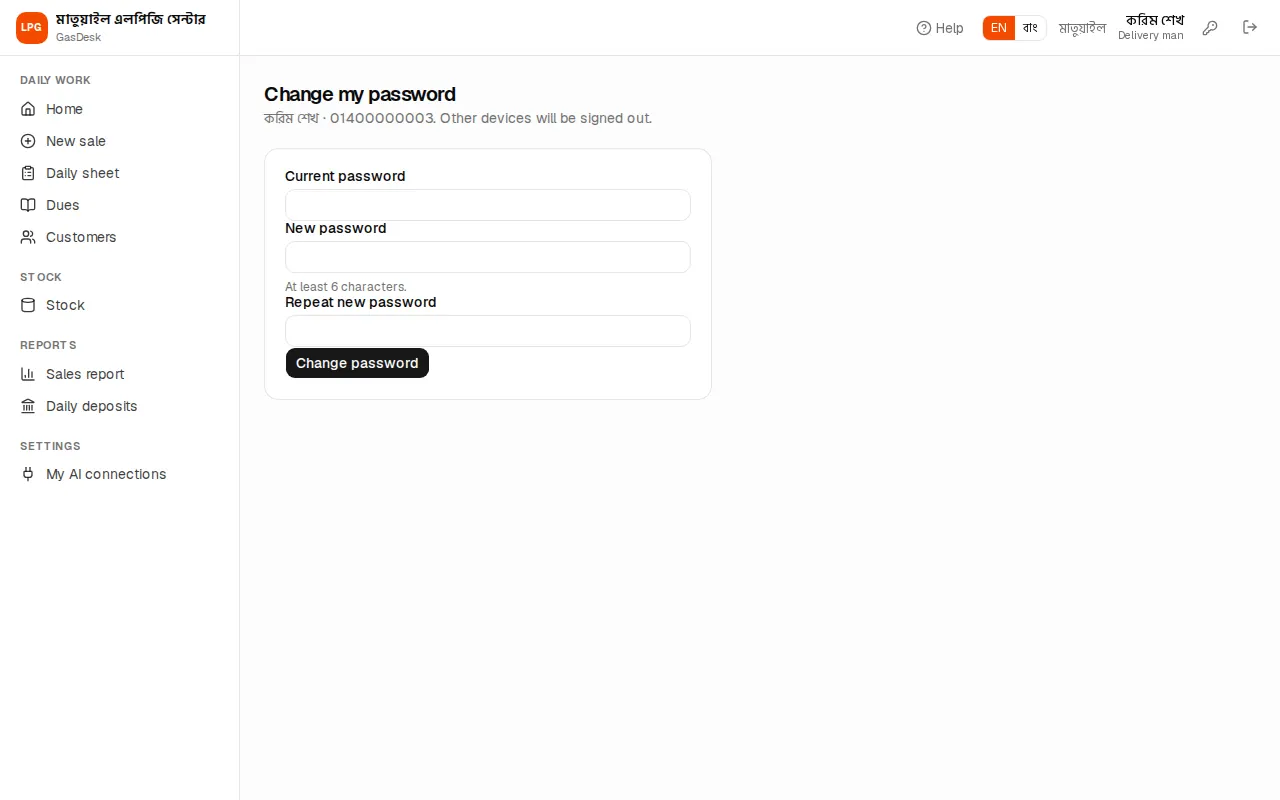
- Press the key icon in the top bar.
- Type your Current password, then the New password (at least 6 characters) twice.
- Press Change password. You are signed out on every other phone or computer.
Forgot your password? Ask the owner — they can set a new one on the Staff page.
New dealer: opening a free trial
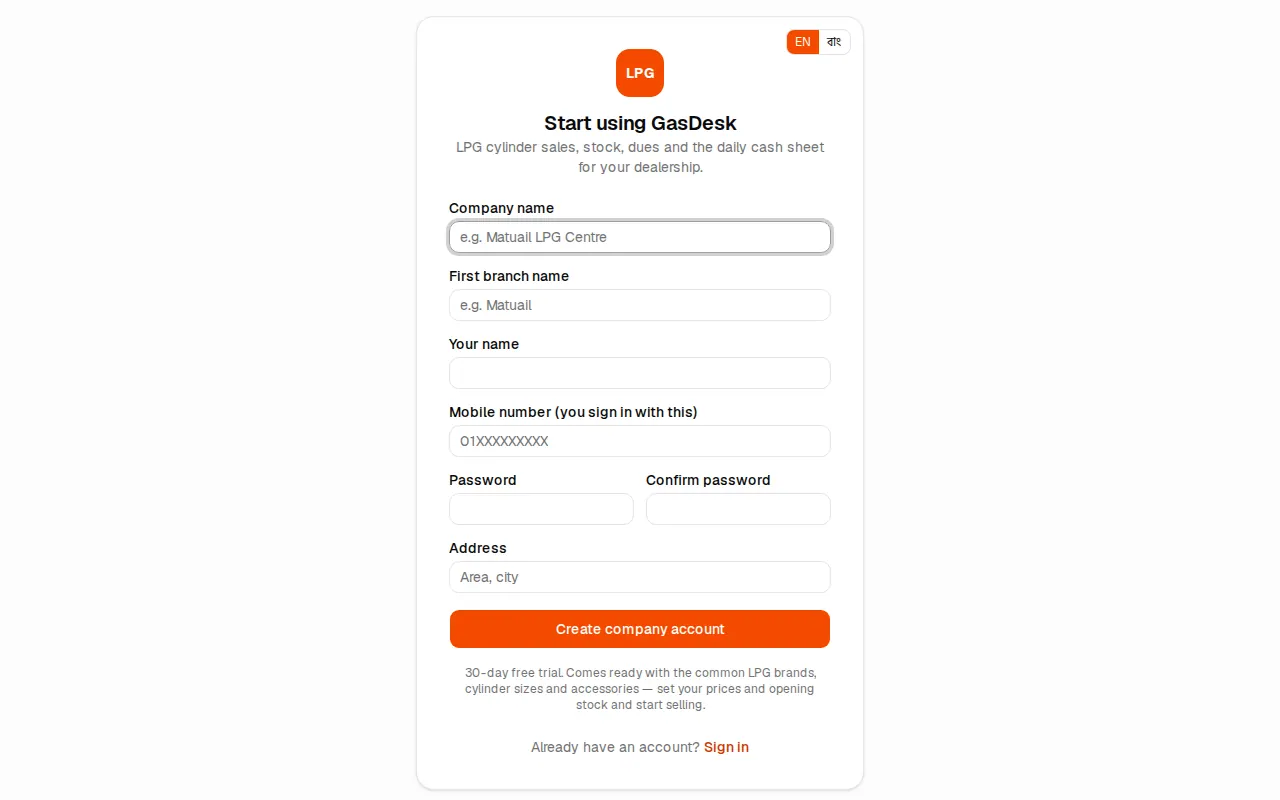
A new dealer can open an account from Create your dealer account below the sign-in form:
- Type the Company name (e.g. Matuail LPG Centre), the First branch name (e.g. Matuail) and the address.
- Enter Your name, your Mobile number (you sign in with this) and a password.
- Press Create company account.
A 30-day free trial starts. The common LPG brands, cylinder sizes and accessories are added for you. Then follow Setting up your company to enter prices and opening stock and start selling.