Getting started
Setting up your company (owner)
First-day work — company details, branches and floor charge, brands and cylinders, branch prices and cost prices, staff logins and opening stock
Who it is for:OwnerManager
On this page
Before the first sale the owner does this once. It takes about half an hour. The easiest order is:
- Company details (printed on receipts)
- Branches and floor charge
- Brands and cylinders
- Prices for each branch
- Staff logins
- Opening stock
Company details
In Settings → Company & licence, under Company profile, enter the company name, the name in the other language, phone, email, trade licence no. and address, then press Save profile. These are printed at the top of receipts, the daily sheet and customer statements.
Under Receipt & language on the same page set the receipt footer (e.g. "Thank you. Handle cylinders with care.") and the company's default language. The rest of the page is covered in Settings, licence & online payments.
Branches and floor charge
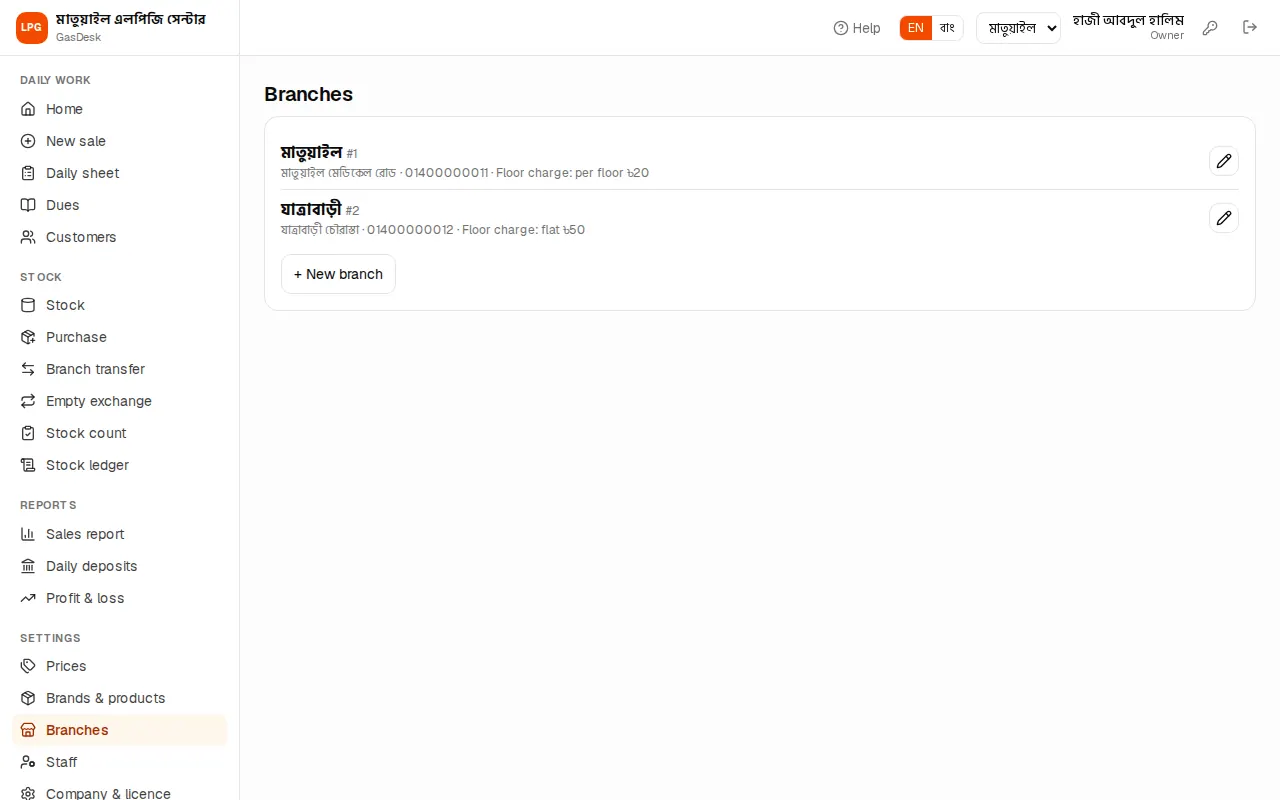
On Settings → Branches each shop or godown is a branch. Each branch has a name, address, phone and a Floor charge rule:
- Per floor: floor × rate. E.g. Matuail charges ৳20 per floor — carrying a cylinder up to the 4th floor costs ৳80.
- Flat (once): the same amount for any floor above the ground. E.g. ৳50 in Jatrabari.
When a sale has a floor number, the floor charge is filled in with this rule; it can be changed by hand on the sale.
To open another branch press New branch. If more than one branch is not in your plan it says "More than one branch is not part of your plan". To close a branch untick Active — its history is kept.
Brands and cylinders
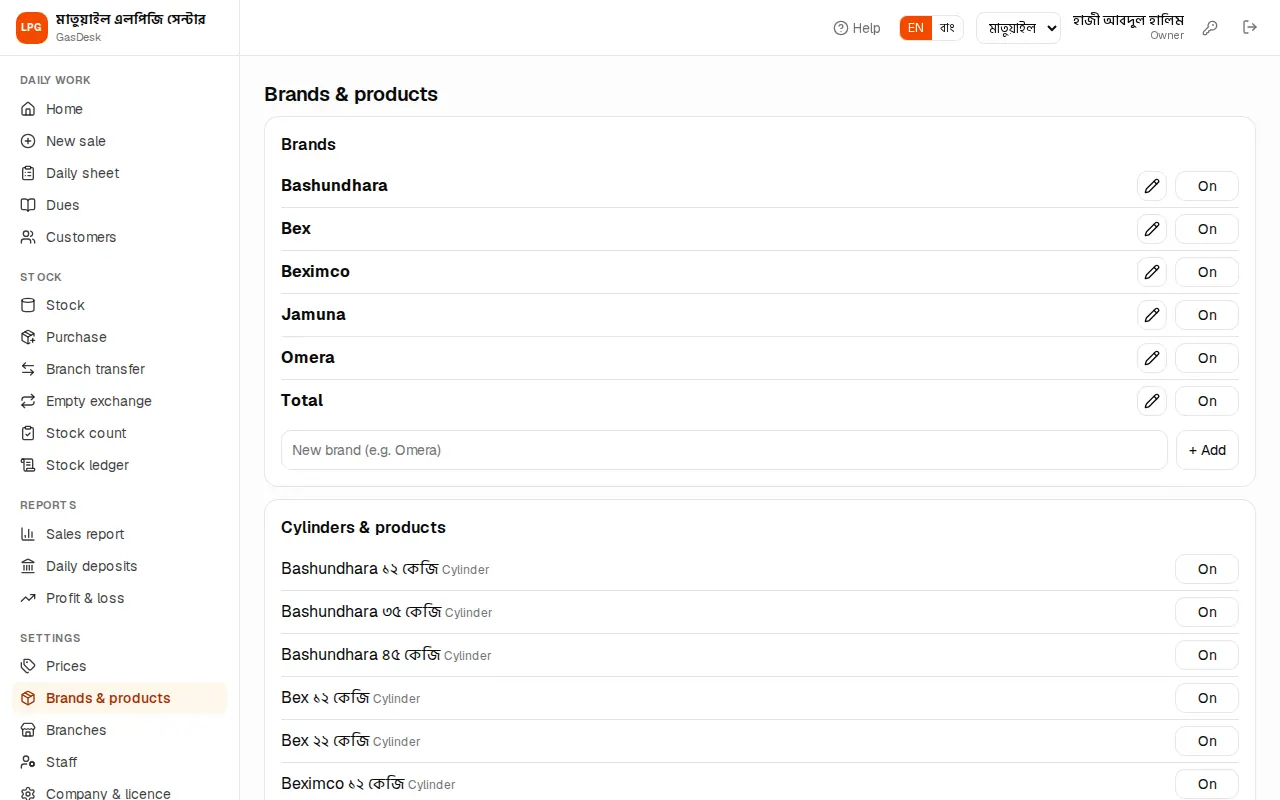
Settings → Brands & products has two parts:
- Brands: Bex, Omera, Jamuna, Total… Type a new brand and press Add. Fix a name with Rename. Switch Off a brand you no longer carry — it disappears from the sale screen.
- Cylinders & products: every cylinder is one brand and one size, e.g. "Bex ১২ কেজি" (Bex 12 kg). Add one with New cylinder: pick the brand, type the kg. Add regulators, pipes, stoves and the like with New other product.
Cylinder stock is counted as full and empty separately; other products have a single count.
Branch prices and cost prices
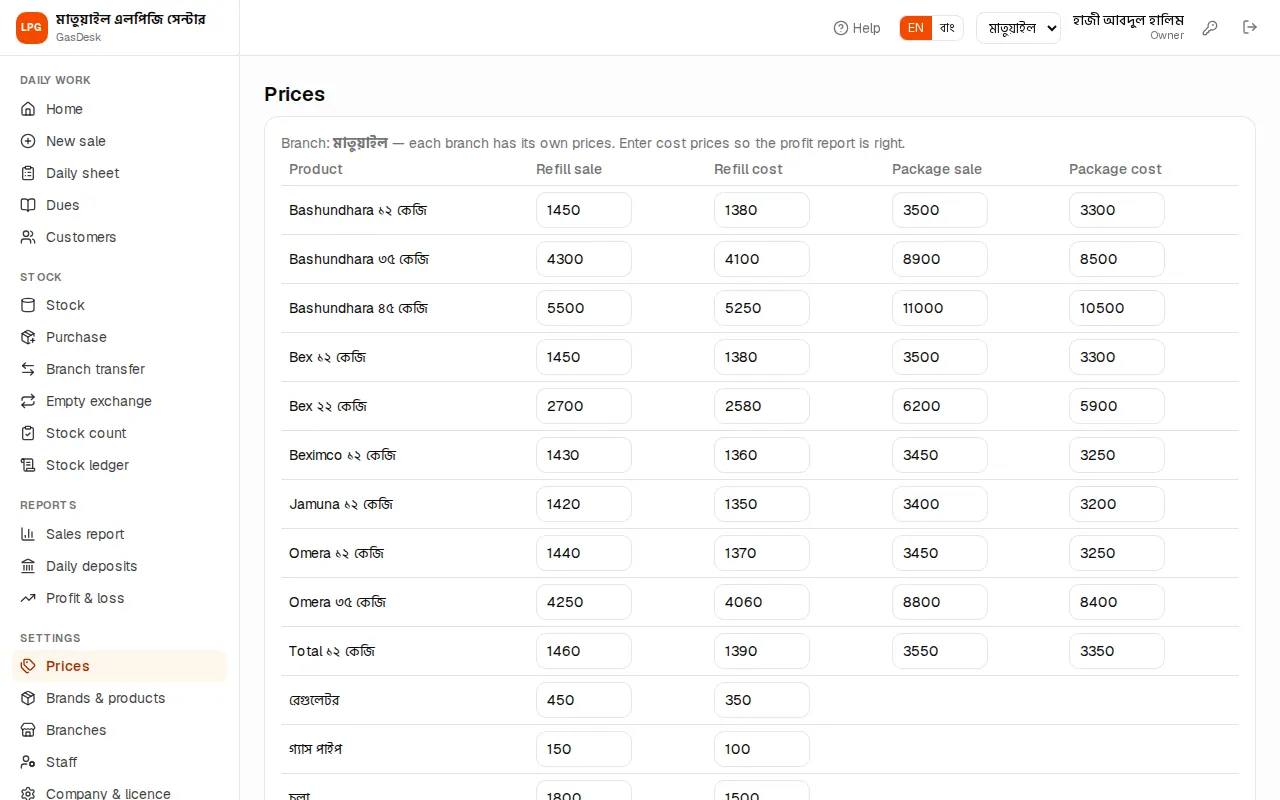
On Settings → Prices every branch has its own prices. Each cylinder has four boxes:
| Box | Meaning |
|---|---|
| Refill sale | Price when the buyer swaps an empty for a full (gas only) |
| Package sale | Price for a new cylinder with gas |
| Refill cost | What a refill costs you from the company (cost price) |
| Package cost | What a new cylinder with gas costs you |
Put the price of other products (regulators etc.) in the "Refill" columns. Press Save when done.
Changing a price does not change earlier sales — each sale keeps the price of its day. A manager can change their own branch's prices too.
Staff logins
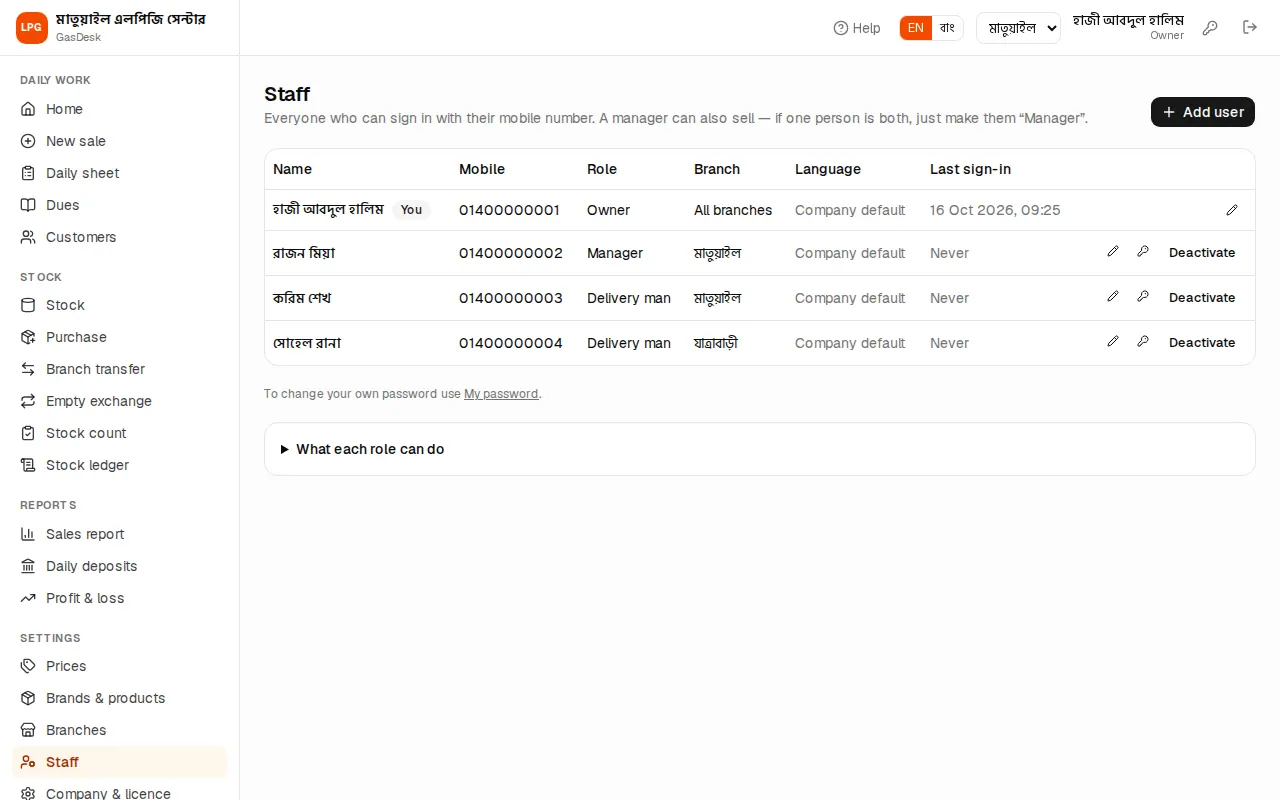
Settings → Staff lists everyone who signs in with a mobile number. To add someone press Add user:
- Type the Full name and Mobile (login).
- Pick the Role: Owner, Manager or Delivery man.
- Pick the Branch. Managers and delivery men work in one branch; an owner is All branches (owner).
- Optionally set a Language (blank = the company's default language).
- Give a password of at least 6 characters and share it with the person privately.
The What each role can do table at the bottom lists each role's permissions. Forgotten password? Use Set password — the person is signed out everywhere. When someone leaves, Deactivate them — their records stay, only the login stops.
Opening stock
On the first day count in the godown how many full and empty cylinders of each kind you have, then enter those numbers on Stock → Stock count with the reason "Opening stock". Details are in Stock.
From then on sales, purchases, transfers and empty exchanges move the stock by themselves. You can now start with New sale.