Stock & purchases
Buying from the company (refill & package)
Bringing in full cylinders from the company or a dealer — refill purchases that send empties back, package purchases, other products, cost prices, back-dated delivery notes and deleting a wrong purchase
Who it is for:OwnerManager
On this page
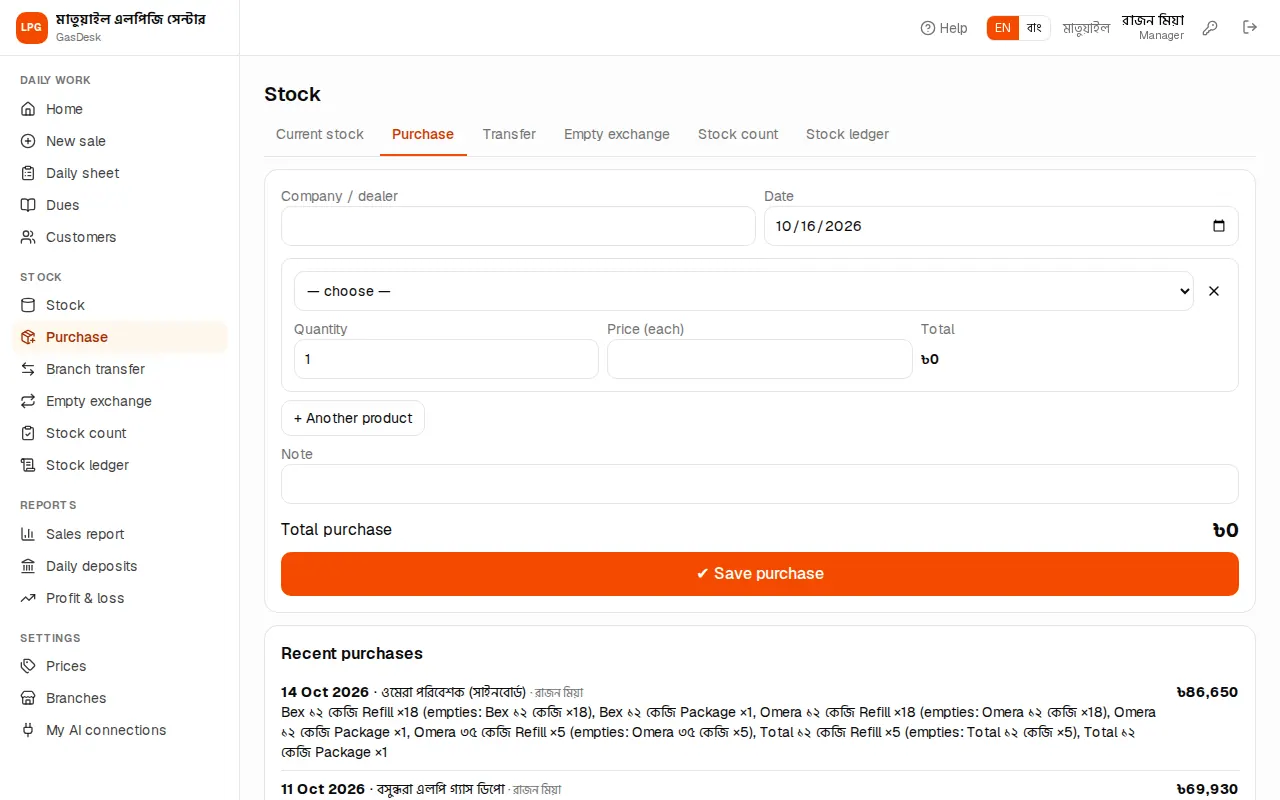
When full cylinders arrive from the company's truck (Bex, Omera, Jamuna…) or from another dealer, enter them on Stock → Purchase. Full stock goes up, and on a refill purchase the empties you handed over come off the stock. Purchases are entered by a manager or the owner.
Refill purchase
The most common case: giving the company truck empties and getting fulls back.
- Type the name in Company / dealer (e.g. "Bex depot" or "Rahman Enterprise"). Date is today.
- Pick the cylinder from the product list and keep Refill.
- Type the Quantity. Price (each) comes from "Refill cost" on the prices page; check it against the delivery note.
- In the grey box: Empties given — which cylinder's empties you gave (the same cylinder by default) and the Number of empties (equal to the quantity by default).
- More cylinders? + Another product.
- Check the Total purchase at the bottom and press ✔ Save purchase.
After saving you go back to Current stock, where the new numbers show.
Package purchase
When you buy new cylinders with gas (no empties go back) choose Package on the line. The price comes from "Package cost". Only full stock goes up.
Regulators, pipes, stoves
When buying other products, pick that product from the list — there is no refill/package choice, just quantity and price.
Back-dated delivery notes
When entering an old delivery note later, change the Date. Future dates are not allowed. Stock counts from that date, and the purchase shows in that day's "Refill purchase / Package purchase" columns on the daily sheet.
Recent purchases and deleting a wrong one
At the bottom are Recent purchases — every purchase of the last 30 days: date, company, who entered it, which cylinders, how many empties went out, and the total.
The owner can delete a wrong purchase with the ✕ on the right of its line — it asks "Delete this purchase? Its stock will be taken back out." If those cylinders have already been sold it can't be deleted. Managers can't delete — ask the owner. Then enter the correct purchase again.
What you owe the company
GasDesk records purchase amounts and cylinders, but it does not keep a separate book of what you paid the company or still owe it. Keep the company's account in your bank/cash book. You can check which company sent how much and when from Recent purchases on this page and the stock ledger.