Stock & purchases
Stock — full, empty, transfers, empty exchange and counts
How many full and empty cylinders of each kind a branch has, transfers between branches, swapping other-brand empties, counting the godown to correct stock, and the stock ledger
Who it is for:OwnerManagerDelivery man
On this page
Nobody types stock levels in GasDesk — they follow from every sale, purchase, transfer, empty exchange and count. Cylinder stock has two parts: Full (ready to sell) and Empty (returned by buyers, to go back to the company).
| Event | Full | Empty |
|---|---|---|
| Refill sale | down | the returned empty goes up |
| Package sale | down | — |
| Refill purchase | up | the empties given go down |
| Package purchase | up | — |
| Transfer | down in the sending branch, up in the receiving one | same |
| Empty exchange | — | the brand given goes down, the brand received goes up |
| Stock count | set to the counted number | set to the counted number |
Current stock
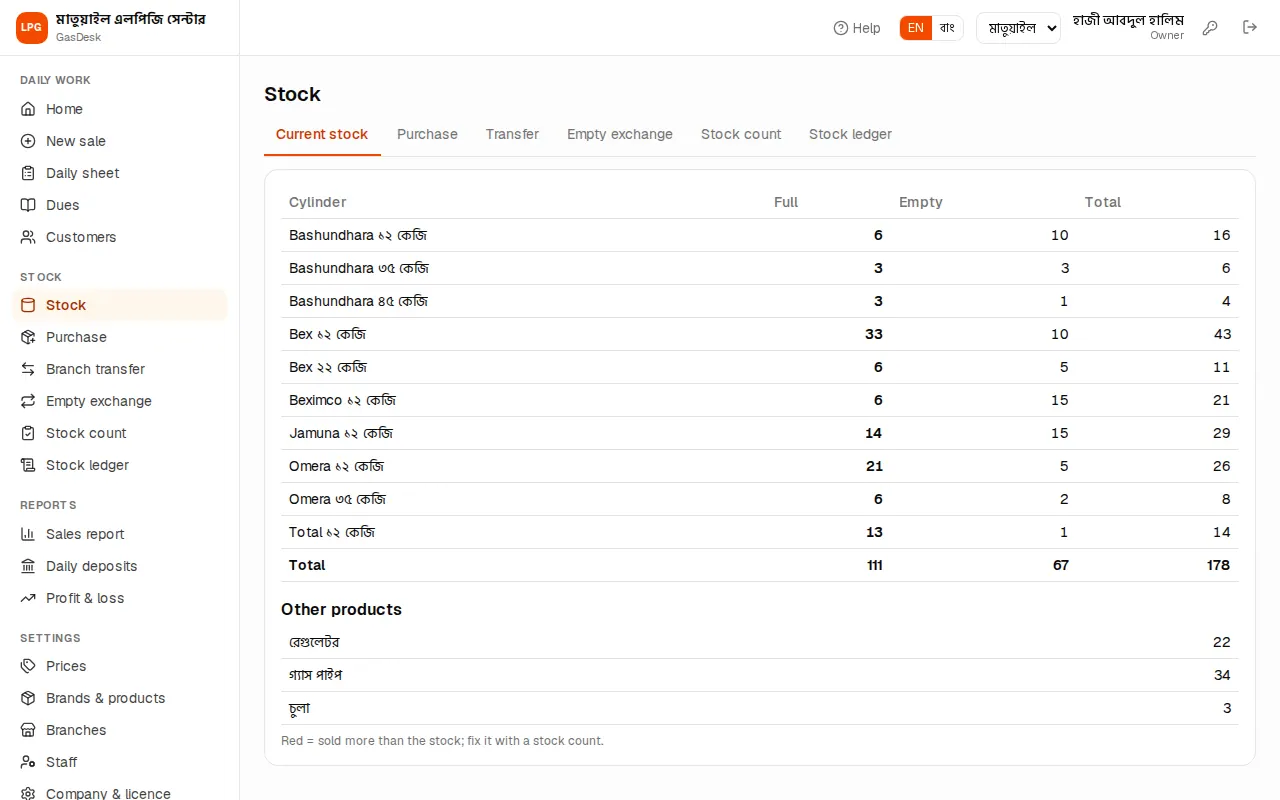
Stock shows each cylinder's Full, Empty and Total in the branch, with a grand total below, and under that how many Other products (regulators etc.) there are.
- Yellow when 2 or fewer full are left — time to order.
- Red (below zero) means more was sold than the stock shows — usually a purchase was not entered or the opening stock is missing. Enter the purchase or fix it with a stock count.
The owner picks a branch at the top to see each branch's stock. Delivery men only see this page; purchases, transfers, empty exchange and counts are for managers and owners.
Transfers between branches
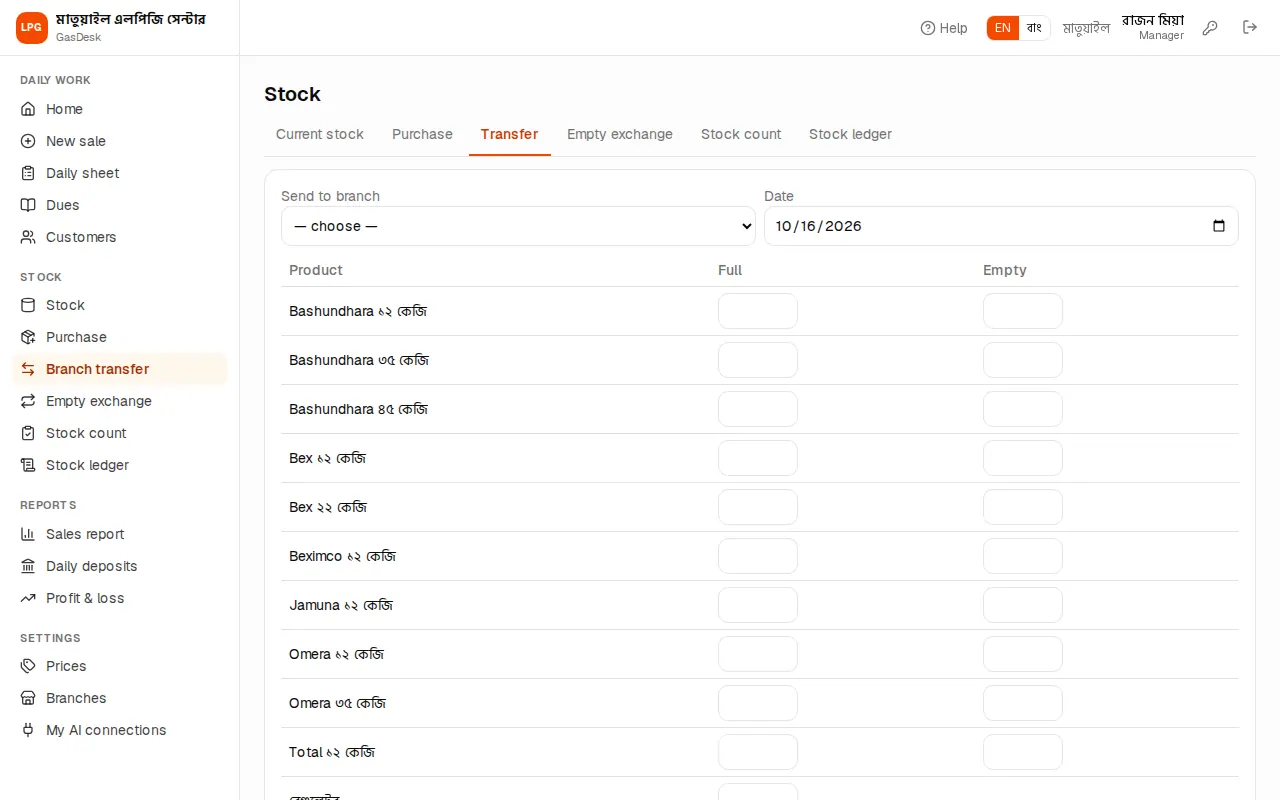
When full or empty cylinders go from one branch to another, enter them on Stock → Transfer:
- Pick Send to branch. The goods leave your current branch.
- Date (today by default).
- In the table type how many Full and Empty of each cylinder you send — only the ones you send.
- Add a Note (e.g. the van number) and press ✔ Send.
The sending branch's stock goes down and the receiving branch's goes up at once. You can't send more than you have. If this page is missing, branch transfer is not in your plan.
Other-brand empty exchange
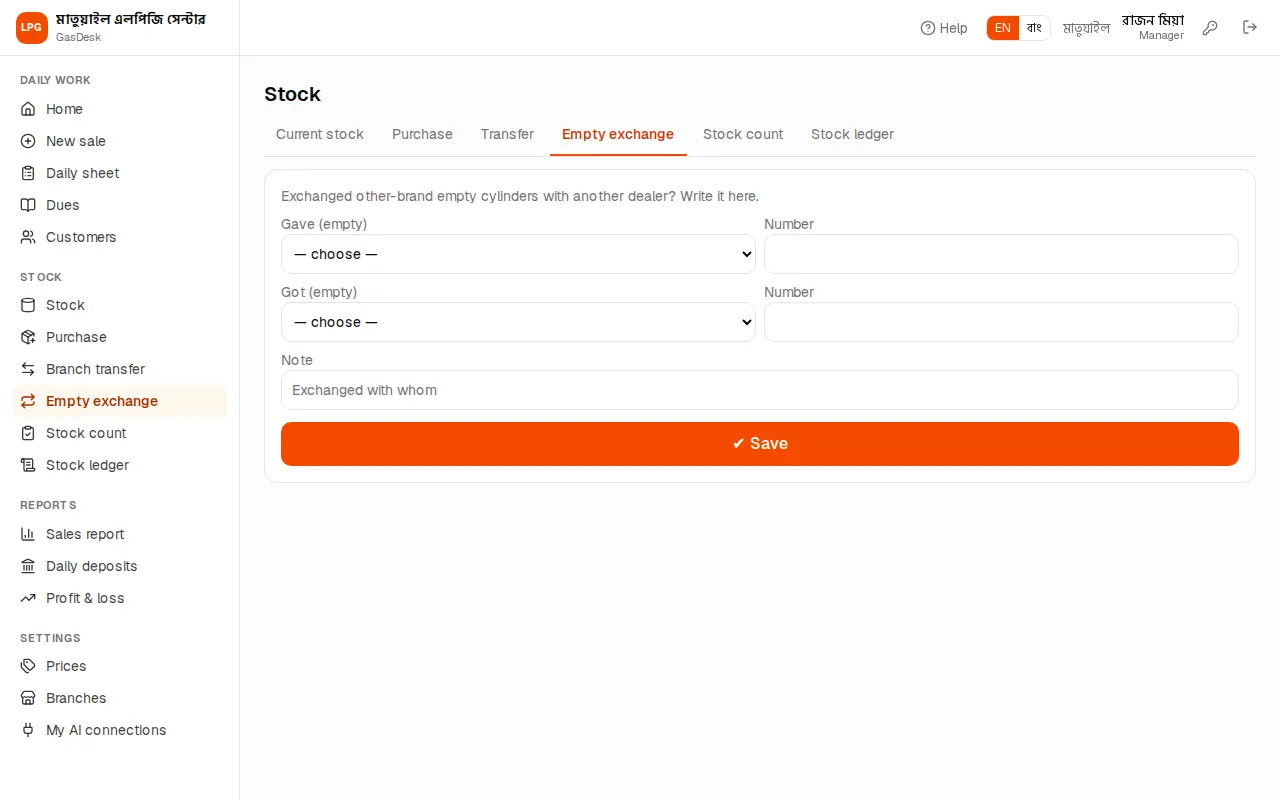
Buyers hand in empties of all brands on refills. Say you are a Bex dealer but 20 Omera empties have piled up in the godown. You swap them with the Omera dealer nearby for 20 Bex empties. On Stock → Empty exchange:
- Gave (empty): Omera 12 kg, Number 20.
- Got (empty): Bex 12 kg, Number 20 (left empty it equals the number given; type it if you got more or fewer).
- Write who you swapped with in Note and press ✔ Save.
Only empties change; no money is recorded. If this page is missing, empty exchange is not in your plan.
Stock count
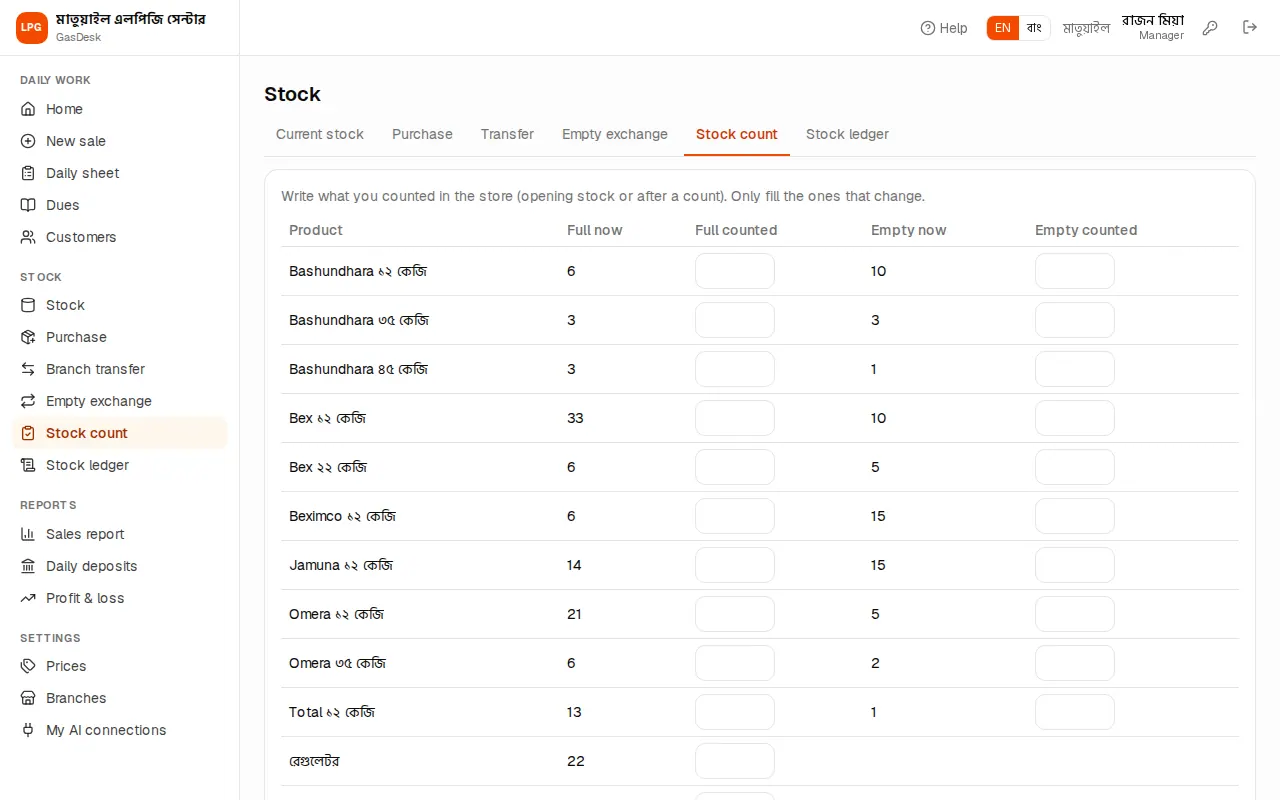
For the opening stock, or when the monthly godown count finds more or fewer, use Stock → Stock count:
- The table shows each cylinder's Full now and Empty now (GasDesk's numbers).
- Type what you counted in Full counted and Empty counted — only for the ones that don't match.
- The Change line below shows the difference, e.g. "Bex ১২ কেজি Full +2, Empty −1".
- Write a Reason — "Opening stock", "Monthly count", "Broken cylinder"… It won't save without one.
- Press ✔ Save.
Mistake to avoid: Don't use a count to cover a sale or purchase that was never entered — enter the missing sale or purchase first. Otherwise the cash and the sales report stay wrong.
Stock ledger
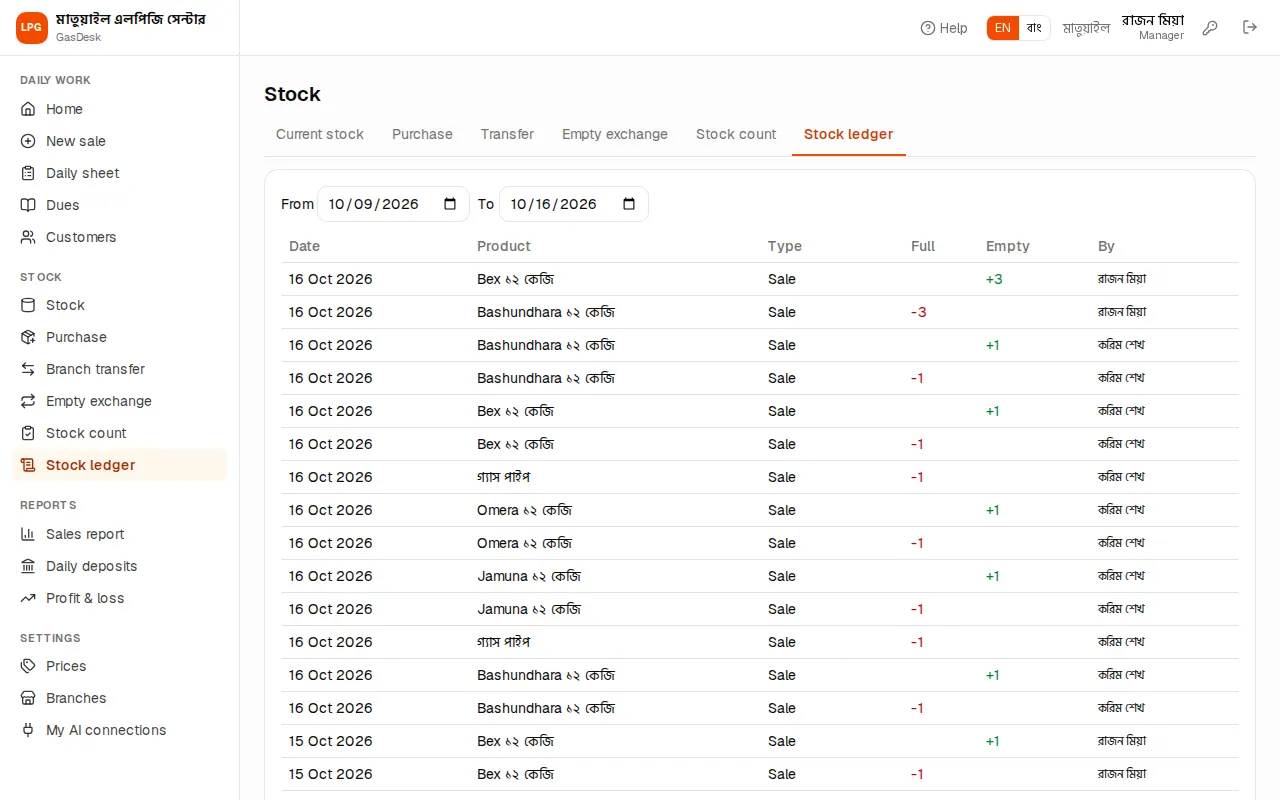
Stock → Stock ledger lists every stock entry by date: date, product, type (Sale / Purchase / Transfer / Adjustment / Empty exchange) with its note, full and empty +/−, and who did it. It starts with the last 7 days; change From / To.
The owner can delete a wrong adjustment or empty exchange here with ✕ (both sides of an exchange go together). Sales, purchases and transfers can't be deleted here — cancel a sale from the daily sheet and delete a purchase on the purchase page.